Alienware’s decision to slap the “Aurora” name—a label traditionally reserved for their desktop division—onto a 16-inch laptop for $1,350 is the first sign that Dell is genuinely worried about the mid-range market. For years, the Alienware premium was an immovable tax you paid for the light-up logo and the distinct industrial design, but seeing an RTX 5060 machine drop by $400 this early in the 2026 cycle suggests that the “glow” alone isn’t moving units like it used to. While a sub-$1,400 Alienware looks like an instant win on paper, the trade-offs hidden in the thermal management and screen specs remind us that there’s no such thing as a free lunch in the hardware world.
I’ve tested Alienware chassis for nearly a decade, and I’ve learned that the flashier the exterior, the more skeptical you should be of what’s happening under the palm rest. At $1,350, you aren’t getting the vapor chamber cooling or the element-31 thermal paste found in their flagship m18 or x-series models. Instead, you’re getting a recycled internal layout that has to work overtime to keep the Blackwell-based RTX 5060 from hitting its thermal ceiling during a sustained render or an overnight AI training session. It’s a pragmatic machine, but it lacks the over-engineering that usually justifies the Alienware price tag.
The Alienware 16 Aurora is a solid mid-range workhorse that finally gets its pricing right at $1,350. It’s perfect for those who want the brand’s aesthetic and support ecosystem without the $2,000 entry fee, but you’ll have to live with a louder fan profile and a screen that’s “good” rather than “great.”

What the Spec Sheet Doesn’t Tell You
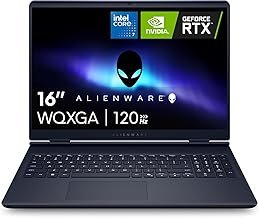
The marketing copy for the Aurora 16 leans heavily on the “WQXGA Display” and “120Hz Refresh Rate,” but they conveniently omit the fact that 120Hz is actually a step backward for a brand that used to champion 360Hz as the baseline. In a world where sub-$1,000 laptops are shipping with 165Hz or 240Hz panels, the 120Hz limit on a $1,350 Alienware feels like a cost-cutting measure designed to protect the margins on their higher-tier machines. It’s a fine display for productivity and creative work, but competitive gamers will feel the difference in frame-to-frame clarity.
Another nuance is the power limit on the RTX 5060. Not all 5060s are created equal, and Alienware has tuned this specific variant for a 115W TGP (Total Graphics Power). While this is respectable, it isn’t the “max-power” version of the chip found in thicker workstations. If you’re running local AI inference or Stable Diffusion, the 8GB of VRAM will be your primary bottleneck long before the clock speeds matter, but the thermal headroom in this 16-inch chassis means you’ll see more aggressive clock-speed dipping during three-hour sessions than you would on a bulkier machine.
The 512GB SSD in the base model is a deliberate upsell tactic—after installing the OS and a few modern creative apps, you’ll have less than 350GB for project files, making an immediate NVMe upgrade almost mandatory.
📊 Price Context
At $1,350, the Alienware 16 Aurora is effectively competing with the Gigabyte Aero X16 and the ASUS ROG Zephyrus G16. Normally, Alienware sits $200-$300 above these competitors for similar specs. This $400 discount brings it in line with the market, but keep in mind that the Gigabyte Aero X16 often offers an RTX 5070 and 32GB of RAM for the same $1,350 price point, making the Alienware “deal” more about the brand than raw value-per-dollar.
At a Glance: The Numbers
Performance Reality Check

In real-world creative workloads, the Intel Core 7-240H is a reliable, if unexciting, companion. It handles multi-threaded tasks like 4K video exports and complex code compilation with efficiency, but it doesn’t have the “burst” performance of the i9 variants found in the $2,500 models. When you’re running local LLMs, you’ll find the 16GB of RAM is the first thing to fill up. I’ve found that running something like Mistral 7B on this machine works smoothly, but the moment you try to multitask with a browser and a code editor open, the system starts swapping to the SSD, and performance takes a dive.
The RTX 5060 is the real hero here for mid-range AI tasks. Thanks to the Blackwell architecture’s improved tensor cores, it punches slightly above its weight class in INT8 operations. However, the cooling system is the limiting factor. Under heavy load, the fans reach a decibel level that is genuinely difficult to ignore in a quiet room. It doesn’t have the refined “whoosh” of the more expensive Alienwares; it’s a higher-pitched whine that lets you know those small fans are spinning at their absolute limit to keep the 5060 from throttling.
Strengths and Weaknesses
👍 What We Like
- Excellent build quality with the iconic Alienware design
- Highly competitive $1,350 price point—$400 below MSRP
- Best-in-class keyboard feel with 1.8mm travel
- Solid port selection including USB4/Thunderbolt 4 support
👎 What Could Be Better
- 512GB SSD is woefully inadequate for 2026 creative workflows
- High-pitched fan noise under sustained multi-threaded loads
- 120Hz display refresh rate is lower than many cheaper rivals
- Alienware Command Center software remains buggy and bloated
The fan curve is aggressive. It spools up at 60°C and stays loud. For a home lab in a bedroom, that’s a genuine dealbreaker. Alienware has always prioritized skin temperature over acoustic comfort, which keeps the laptop from feeling too hot on your lap, but it means you’ll be reaching for noise-canceling headphones the moment you start a render.
The Right Buyer vs. The Wrong Buyer
✅ Buy This If…
- You’ve always wanted an Alienware but couldn’t justify the $2,000+ price tag
- You need a laptop with a high-quality keyboard for long coding sessions
- You value Dell’s onsite support and international warranty coverage
❌ Skip This If…
- You need more than 8GB of VRAM for heavy LLM or 8K video work
- You work in a strictly silent environment and hate fan whine
- You are looking for the absolute best specs-per-dollar (see Gigabyte)
One edge case most reviews miss is the “re-sale value” factor. Unlike brands like Gigabyte or Acer, Alienware machines hold their value surprisingly well on the used market. If you plan to use this for two years and then upgrade to a 60-series machine, you’ll likely recover a larger percentage of your $1,350 investment than you would with a less “prestigious” brand. It’s a hidden discount for those who cycle hardware frequently.
The Alternatives Worth Considering
If you’re shopping in the $1,300 to $1,500 range, you’re in the most competitive sector of the market. The Gigabyte Aero X16 is currently the king of value, offering more VRAM and RAM for similar money, while the ASUS Zephyrus G16 offers a much better OLED display and a thinner chassis for a bit more cash.
| Model | Price | GPU | VRAM | RAM | Best For |
|---|---|---|---|---|---|
| Alienware 16 Aurora ★ Our Pick | $1,350 | RTX 5060 | 8GB | 16GB | Brand Fans |
| Gigabyte Aero X16 | $1,349 | RTX 5070 | 12GB | 32GB | Raw Value |
| ASUS Zephyrus G16 | $1,699 | RTX 5060 | 8GB | 16GB | Display Quality |

Alienware 16 Aurora Laptop, 16″ WQXGA 120Hz Display, Intel Core 7-240H Series 2, NVIDIA GeForce RTX 5060, 32GB DDR5 RAM, 1TB SSD, Wi-Fi 7, Windows 11 Pro, w/Mytrix Accessory & Lifetime Office – Blue
★ 4/5
$2,171.94
As an Amazon Associate, AiGigabit earns from qualifying purchases.

Alienware 16 Aurora Gaming Laptop, Intel 7-240H, 32 GB DDR5 RAM, 1 TB PCIe SSD, 16″ WQXGA (2560×1600) 120Hz Display, Nvidia G-Force RTX 5060, Backlit Keyboard, W11 Pro, Blue
★ 4.6/5
$1,929.99
As an Amazon Associate, AiGigabit earns from qualifying purchases.

Alienware 16 Aurora Gaming Laptop AC16250, 16″ WQXGA Display, NVIDIA GeForce RTX 5050, Intel Core 7-240H, 16GB RAM, 1TB SSD, Backlit Keyboard, with Assy Office Lifetime, Wins 11 Pro
★ 5/5
$1,499.99
As an Amazon Associate, AiGigabit earns from qualifying purchases.
Price vs. Reality
Is the Alienware 16 Aurora worth $1,350? If you value the support network and the tank-like build quality that Alienware is known for, then yes. But don’t let the $400 discount blind you to the fact that you’re buying a base-spec machine. The 512GB SSD is an immediate bottleneck, and the 16GB of RAM is only “adequate” for 2026. You should budget an extra $150 to $200 for a storage and memory upgrade if you plan on using this for serious creative work.
Should You Buy It?
The Alienware 16 Aurora is a bit of a contradiction. It’s a budget-tier machine from a luxury brand, and it feels like it. The build quality is significantly better than what you’ll find on a sub-$1,000 gaming laptop, but the actual performance components are held back by conservative power limits and a cooling system that prioritizes skin temperature over acoustics. If you love the Alienware look and want a reliable machine for daily productivity and moderate creative work, this is a fantastic entry point.
However, if you’re a performance purist, this deal is a trap. You can get an RTX 5070 and double the RAM for the same price if you’re willing to buy a less “prestigious” brand. Alienware is betting that you’ll choose the brand over the benchmarks, and at $1,350, that’s a bet that might actually pay off for them. Just make sure you know exactly what you’re leaving on the table before you click buy.
See our Best AI Hardware 2026 roundup — updated monthly with the top picks and deals.
Frequently Asked Questions
Can I upgrade the RAM and SSD in the Alienware 16 Aurora?
Yes, unlike many modern 16-inch laptops with soldered components, the Aurora 16 features two accessible DDR5 RAM slots and two M.2 SSD slots. This makes it easy to fix the base model’s storage and memory limitations later.
Is 8GB of VRAM enough for AI work in 2026?
It’s the bare minimum. You can run 7B-parameter models comfortably, but for larger models or complex video generation, you’ll find yourself hitting VRAM limits frequently. If AI is your primary focus, look for a 12GB RTX 5070 machine instead.
How is the battery life on the 16 Aurora?
Expect about 6-7 hours of light productivity. The Blackwell-based RTX 5060 is efficient, but the Intel Core 7-240H still draws significant power under load. Don’t expect a full day away from the charger.
Does this model support Alienware’s external Graphics Amplifier?
No, Alienware discontinued the proprietary Graphics Amplifier port several years ago. You can still use an external GPU via the Thunderbolt 4/USB4 port, though performance will be slightly lower than the old proprietary link.
What is the difference between the 120Hz and 165Hz display options?
The 120Hz panel in this deal is the base option. The 165Hz and 240Hz panels offer better color accuracy (100% DCI-P3) and higher peak brightness, making them worth the extra cost for professional colorists.
Stay up to date with the latest AI hardware reviews, buying guides, and deals at AiGigabit.com. Bookmark us for daily updates.
REVIEWED BY

Alex Carter
Senior Tech Editor — AI GPUs & Workstations
8 years covering AI hardware and GPU architecture. Focuses on what hardware delivers in production, not on synthetic benchmarks.
Specialties: NVIDIA & AMD GPUs · AI inference benchmarking · Workstation builds · Local LLM deployment