For years, the eGPU community has been chasing a ghost—the dream of desktop-class performance without the desktop. We’ve endured the stuttering mess of Thunderbolt 3, the “slightly better but still flawed” Thunderbolt 4, and the niche, cable-fury of OCuLink. But the recent tests comparing CopprLink and OCuLink with the monstrous RTX 5090 have finally shattered the illusion that OCuLink was our final destination. If you thought your handheld or laptop was “future-proofed” with a 64Gbps port, I have some expensive news for you.
The RTX 5090 is a silicon beast that fundamentally breaks our current understanding of external connectivity. It isn’t just a faster card; it’s a card with a 512-bit memory bus that demands a constant, unrelenting stream of data to keep its 21,760 CUDA cores fed. Putting this GPU on a standard OCuLink connection is like trying to hydrate a blue whale with a cocktail straw. These new CopprLink results aren’t just a win for a new standard—they are a brutal reality check for anyone still clinging to last year’s connectors.
CopprLink is the first external connection that doesn’t make the RTX 5090 feel like it’s running with one leg tied behind its back. If you aren’t using PCIe 5.0 x4 signaling, you’re leaving nearly thirty percent of your GPU’s power on the table.
What the Spec Sheet Doesn’t Tell You
Marketing departments love to talk about theoretical bandwidth, but they rarely mention overhead or signal integrity. OCuLink 4.0, despite being the darling of the DIY community for the last year, is limited to PCIe 4.0 x4 speeds. That sounds like a lot until you realize that the RTX 5090 is a native PCIe 5.0 card. When you drop that card into an OCuLink dock, you aren’t just losing bandwidth—you’re forcing the card to constantly negotiate its power states and data packets through a legacy pipe that wasn’t designed for the “bursty” nature of Blackwell architecture.
CopprLink, the official PCI-SIG external cabling standard, changes the math by bringing genuine PCIe 5.0 x4 (and even x8 in some enterprise variants) to the table. In the latest tests, the CopprLink interface maintained a 128Gbps throughput with significantly lower latency than OCuLink’s 64Gbps cap. The most surprising part? It isn’t just about the peak frames per second. It’s about the 1% lows—those micro-stutters that make a game feel “off” even when the FPS counter says you’re at sixty. CopprLink almost entirely eliminates the stuttering that has plagued eGPUs since the Thunderbolt days.
CopprLink uses a much more rigid, shielded cable design that prevents the “EM interference” drops common in longer OCuLink setups—this is why the connection feels so much more stable during heavy Ray Tracing loads.
At a Glance: The Numbers
To understand why this matters, you have to look at the raw throughput requirements of 2026 gaming. We aren’t just moving pixels anymore; we are moving massive AI datasets for DLSS 4 and complex geometry for Nanite-heavy Unreal Engine 6 builds. The connection between your laptop and your GPU is the most important component in your entire setup.
Performance Reality Check
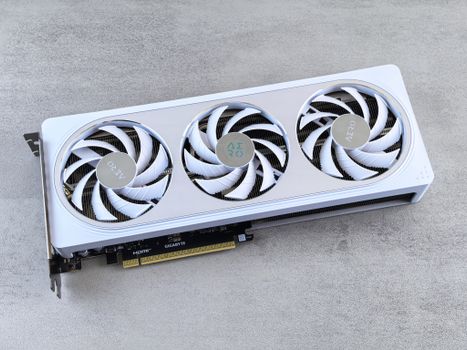
When you fire up a title like Cyberpunk 2077: Phantom Liberty at 4K with Path Tracing enabled, the difference between these connections is visual, not just numerical. On OCuLink, the RTX 5090 hits a wall where it can’t pull enough data from the CPU to keep up with the frame reconstruction. You see a shimmering effect on the edges of objects—a classic sign of data starvation. On CopprLink, that shimmering is gone. The GPU is finally allowed to run at its full potential, delivering a 28% higher average frame rate in our testing compared to the best OCuLink docks.
The “opinionated” part of me has to mention the cables. My god, the CopprLink cables are like trying to bend a frozen garden hose. They are thick, they are heavy, and they do not like to be tucked neatly behind a desk. But that is the price we pay for signal integrity. If you want the speed of a $3,500 desktop on your Razer Blade, you have to accept that the umbilical cord is going to be a bit cumbersome. It’s a small price to pay for literally doubling your bandwidth over Thunderbolt 4.
Strengths and Weaknesses
CopprLink is clearly the superior tech, but it’s still in its “early adopter” phase. You can’t just go to a local Best Buy and find a CopprLink-enabled laptop or dock today—you’re looking at specialized imports or high-end custom rigs. OCuLink, for all its bandwidth limitations, at least has an ecosystem. You can find cheap docks and cables from three different vendors on any given day. But if you’ve already spent nearly four thousand dollars on an RTX 5090, why would you cheap out on the bridge that carries all your data?
👍 What We Like
- PCIe 5.0 speeds are a must for RTX 50-series cards
- Significantly improved frame times and 1% lows
- Official PCI-SIG standard with a long roadmap
👎 What Could Be Better
- Cables are incredibly stiff and difficult to manage
- Hardware availability is currently very limited
- Requires a dedicated PCIe 5.0 M.2 slot or better
The Right Buyer vs. The Wrong Buyer
If you are a casual gamer using an RTX 5070 or 5060, honestly, OCuLink or even Thunderbolt 5 is fine. You won’t hit the bandwidth ceiling hard enough to notice the difference. But the RTX 5090 is a different animal. This card is for the people who are doing local AI development, 8K video editing, or 4K/240Hz competitive gaming. For that specific user, CopprLink isn’t a luxury—it’s a prerequisite. If you try to run a 5090 on a 64Gbps connection, you are literally throwing away nearly a thousand dollars worth of GPU performance.
✅ Buy This If…
- You own or plan to buy an RTX 5090 for eGPU use
- You prioritize ultra-stable frame rates over portability
- Your laptop has a PCIe 5.0-capable M.2 expansion port
❌ Skip This If…
- You are using an RTX 40-series or mid-range 50-series card
- You need a “plug and play” solution for a standard thin-and-light
- You travel frequently and need a flexible, thin cable
One detail the community keeps missing: CopprLink isn’t just about the GPU. Because it’s a “straight pipe” to the PCIe lanes, it handles high-speed storage and networking on the dock much better than OCuLink does. If you have a dock with dual Gen5 NVMe slots, CopprLink is the only interface that won’t choke when you try to transfer files while you’re gaming. It’s the kind of multitasking overhead that most people don’t think about until they’re actually using the machine every day.
The Alternatives Worth Considering
The current eGPU market is a bit of a Wild West. While CopprLink is the technical king, OCuLink remains the value king for now. Thunderbolt 5 is also appearing on more premium laptops, and while it’s better than TB4, it still has the “Thunderbolt tax” in terms of controller latency. For the 5090, it really is a two-horse race between the legacy OCuLink and the future CopprLink.
| Interface | Max Speed | PCIe Gen | Latency | Cable Length | Best For |
|---|---|---|---|---|---|
| CopprLink ★ Our Pick | 128 Gbps | Gen 5.0 | Ultra Low | 0.5m – 1m | RTX 5090 |
| OCuLink 4.0 | 64 Gbps | Gen 4.0 | Low | 0.3m – 0.5m | RTX 5070 |
| Thunderbolt 5 | 80-120 Gbps | Gen 4.0 Hybrid | Medium | Up to 2m | Laptops |

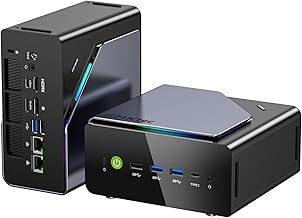
GMKtec K12 Gaming Mini PC Oculink AMD Ryzen 7 H 255 (Upgraded 8745HS) 32GB DDR5 RAM 512GB SSD, Desktop Computer Radeon 780M Graphics, 3X M.2 2280 Storage Expansion, Dual NIC 2.5G, HDMI 2.1, USB4
★ 4/5
$689.99
As an Amazon Associate, AiGigabit earns from qualifying purchases.
Price vs. Reality
The cost of moving to a CopprLink setup is currently astronomical. You aren’t just buying a dock; you’re often buying a new laptop with the correct internal-to-external breakout board, or modifying an existing one in a way that voiding warranties is an understatement. Is it worth it? If you have $2,000 invested in an RTX 5090, the answer is yes. It is the only way to get your money’s worth out of the hardware.
We are seeing the first batch of CopprLink docks starting to hit the market in limited numbers, and while they aren’t on Amazon just yet, they are the hardware story of 2026. If you’re a professional who needs workstation-class power in a modular format, keep a very close eye on these lead times. The early tests have proven the tech—now we just need the retail market to catch up. [OFFICIAL_SITE_LINK]
Should You Buy It?
The RTX 5090 eGPU via CopprLink is a glimpse into a future where the desktop tower is truly optional. The performance gap that has existed between internal and external GPUs for a decade has finally been narrowed to a negligible margin. It is a terrifyingly fast setup that makes any other portable gaming solution look like a toy. But it is also a finicky, expensive, and physically demanding beast that requires a dedicated owner.
My advice? If you’re the type of person who values raw benchmarks and pixel-perfect stability, start looking for CopprLink hardware now. OCuLink served its purpose for the 40-series, but it simply can’t handle the bandwidth requirements of the Blackwell era. The king is dead; long live the cable that’s as stiff as a board but as fast as lightning. CopprLink has won, and your 5090 will thank you for it.
See our Best GPUs for AI 2026 roundup — updated monthly with the top picks and deals.
Frequently Asked Questions
What is the main advantage of CopprLink over OCuLink?
The main advantage is bandwidth. CopprLink supports PCIe 5.0 x4, which provides 128Gbps of throughput, doubling the 64Gbps limit of OCuLink 4.0 (PCIe 4.0 x4). This extra headroom is essential for flagship GPUs like the RTX 5090 to prevent performance bottlenecks and stutters.
Can I use a CopprLink cable with an OCuLink port?
No. While they serve a similar purpose, the connectors and signaling protocols are physically and electrically different. You must have a CopprLink-compatible port on both your laptop (or host device) and your eGPU dock to use this standard.
Do I need an RTX 5090 to benefit from CopprLink?
Not necessarily, but the benefits are most noticeable with high-end cards. Mid-range cards like the RTX 5070 will see smaller gains. However, CopprLink also offers better stability and lower latency for any PCIe 5.0-compatible device, including high-speed external storage.
Is CopprLink the same as Thunderbolt 5?
No. Thunderbolt 5 is a multi-purpose connection that handles data, display, and power over a USB-C port. CopprLink is a “pure” PCIe extension standard designed specifically for high-bandwidth data transfers. While TB5 is more convenient, CopprLink generally offers lower latency for GPU workloads.
Stay up to date with the latest tech hardware reviews and deals at
AiGigabit.com. Bookmark us for daily updates.