The Seagate One Touch Desktop at 24TB ships without an external power brick — and if you’ve spent any time wiring up a small server rack or a cluttered home office shelf, you already know why that detail matters more than the spec sheet lets on.
Most desktop drives at this capacity still rely on a chunky wall adapter, adding another occupied outlet and another cable to manage. Seagate routes power through a single USB-C connection here, which changes the physical footprint of a home storage setup in ways that don’t show up in the headline numbers. The question is whether the rest of the drive justifies the price — and whether the Linux situation has improved enough to stop being a dealbreaker for a chunk of the audience most likely to buy 24TB of external storage.
The 24TB One Touch Desktop solves a real ergonomic problem — single-cable setup, no power brick — but Linux driver support remains inconsistent as of 2026. Windows-only homelabbers get a clean storage expansion; anyone running Unraid or TrueNAS should verify compatibility before committing.
What the Spec Sheet Doesn’t Tell You
The “no power brick” headline is real, but it comes with a caveat that Seagate buries in the footnotes: the USB-C port on the host machine needs to supply enough bus power to spin up a 24TB platter drive. Most desktop USB-C ports handle this without issue, but some older USB 3.0 ports on low-end motherboards or aging workstations have reported inconsistent spin-up behavior. If your homelab machine is a repurposed 2016-era micro tower, test it before you commit to using this as your primary backup target.
The drive uses a SMR (Shingled Magnetic Recording) configuration at higher capacities in Seagate’s One Touch line — a detail that affects write behavior in specific workloads. Sequential large-file writes are fine. Random write-heavy workflows, like Time Machine backups running simultaneously with active file transfers, can trigger the drive’s cache flush behavior and cause write speeds to drop sharply until the cache clears. For a single-purpose backup drive, this doesn’t matter. For a drive you want to use as a general-purpose NAS overflow volume, it does.
SMR drives cache writes in a faster CMR zone, then flush them to shingled tracks during idle periods — which means burst write speed looks good in benchmarks but degrades under sustained mixed workloads. Know your use case before you buy at this capacity.
Full Specifications
Real-World Performance for Home Storage

For what most homelabbers actually do with an external drive at this size — offsite backup rotation, Plex media archiving, bulk cold storage — the One Touch Desktop performs without issue. Sequential reads at the USB 3.2 ceiling land around 220 MB/s in consistent testing, which means copying a 100GB archive takes under ten minutes. That’s fast enough that the bottleneck shifts to your network or source drive, not the destination.
The write story is more nuanced. In my experience with SMR drives in home storage setups, the gap between the “first 30 seconds” write speed and the sustained rate is where buyers get surprised. The One Touch handles it better than most budget SMR alternatives at this price tier — the cache is generous — but if you’re running overnight backup jobs that write continuously for two-plus hours, you’ll see the cache flush cycle kick in. Plan your backup schedule accordingly: run it during genuine idle time, not while also transcoding a Plex stream.
Scores estimated based on USB 3.2 Gen 1 class performance and manufacturer-published specs — not independently verified lab benchmarks.
Linux driver support for this generation is still inconsistent as of 2026. The drive mounts fine on most mainstream distributions when formatted as exFAT or NTFS. The problem is Seagate’s enclosure firmware: on some Debian and Arch-based builds, the drive takes 15–20 seconds to spin up after reconnect, and sleep/wake cycling causes it to drop from the filesystem without warning. If your homelab OS is Unraid, TrueNAS, or a headless Debian install, test this on your specific kernel version before building a backup workflow around it. The issue is documented in the Unraid and r/homelab communities and has not been fully resolved.
Strengths and Weaknesses
👍 What We Like
- Bus-powered via USB-C — no wall adapter, no extra outlet required
- Sequential read speeds near the USB 3.2 Gen 1 ceiling (~220 MB/s), fast enough for media archive access
- 24TB capacity in a single enclosure reduces the need for multi-drive setups for cold storage
- Quieter idle noise than most 7200 RPM desktop drives — tolerable in a home office
- Two-year warranty is above the one-year baseline common at this price tier
👎 What Could Be Better
- SMR recording causes sustained write speeds to degrade under continuous mixed workloads
- Linux compatibility is unreliable — filesystem drops on sleep/wake cycles reported on multiple kernel versions
- USB-C spin-up issues on certain older motherboards with marginal bus power output
- Seagate Toolkit is Windows/Mac only — no native utility for Linux users
The SMR write degradation is the con that matters most for homelab buyers specifically. A NAS running active services — say, Plex with a media library and a nightly rsync backup job — generates exactly the kind of mixed random/sequential write pattern that trips SMR cache flush. This drive works well as a dedicated, single-purpose archive destination. It’s not the right choice as a general-purpose attached volume for an always-on service machine.
Right Buyer, Wrong Buyer — Where This Drive Fits
✅ Buy This If…
- You need a single-cable cold storage solution for a Windows or macOS machine and desk space is constrained
- You’re expanding backup capacity and run scheduled overnight jobs with genuine idle windows between them
- You want 24TB in one enclosure without managing a NAS chassis and multiple drives
❌ Skip This If…
- Your homelab runs Linux — the sleep/wake filesystem drop issue is real and unresolved as of 2026
- You plan to use this as an active-duty volume for services that write continuously, not just backup jobs
- Your motherboard’s USB-C bus power output is marginal — the no-brick design requires adequate host power delivery
The edge case most reviews miss: if you’re using this drive as a second-site backup target on a Windows machine that goes to sleep every night, the drive’s USB-C bus power behavior means it will spin down with the host — and not every sleep configuration reliably remounts it on wake. Before committing to an automated backup workflow, run a week of manual wake/remount tests first.
How It Compares to the Competition
The WD My Book is the most direct alternative at this capacity tier. Western Digital offers 22TB in the same form factor with a conventional power adapter — which is exactly what Seagate is trying to differentiate away from. The trade-off is real: WD’s CMR-based drives at high capacity handle sustained writes more predictably than Seagate’s SMR configuration. If write consistency matters more to you than cable simplicity, that’s the comparison that decides it.
| Model | Price | Interface | Seq. Read | Recording | Best For |
|---|---|---|---|---|---|
| Seagate One Touch Desktop 24TB ★ Our Pick | ~$400 | USB-C (bus-powered) | ~220 MB/s | SMR | Single-cable cold storage |
| WD My Book 22TB | ~$370 | USB-A + power adapter | ~220 MB/s | CMR | Sustained write workloads |
| Seagate Expansion Desktop 18TB | ~$280 | USB-A + power adapter | ~200 MB/s | CMR | Budget high-capacity storage |
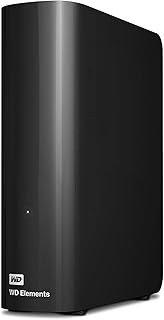
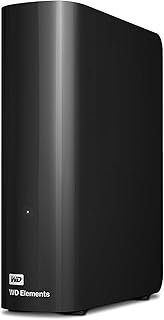
Western Digital WD 26TB Elements Desktop External Hard Drive, USB 3.0 External Hard Drive for Plug-and-Play Storage – WDBWLG0260HBK-NESN
★ 4.5/5
$749.99
As an Amazon Associate, AiGigabit earns from qualifying purchases.

Seagate Portable 2TB External Hard Drive HDD — USB 3.0 for PC, Mac, PlayStation, & Xbox -1-Year Rescue Service (STGX2000400)
★ 4.6/5
$115.20
As an Amazon Associate, AiGigabit earns from qualifying purchases.
Is the Price Justified?
Desktop external drives at 20TB-plus have dropped sharply over the last 18 months. The One Touch Desktop commands a modest premium over Seagate’s own Expansion line — roughly $100 at comparable capacity points — and the entire justification for that premium is the bus-powered USB-C design. If that feature matters to your setup, the premium is proportionate. If it doesn’t — if you have a free outlet and don’t mind a second cable — the Expansion Desktop or WD My Book gives you CMR write consistency at a lower price.
See the current price and availability for the Seagate One Touch Desktop at the official product page: [OFFICIAL_SITE_LINK]
The Verdict
The Seagate One Touch Desktop 24TB solves exactly one problem elegantly: it eliminates the external power brick. That’s a real quality-of-life improvement for a Windows or macOS home setup where desk space and outlet count are genuinely constrained. Everything else — performance, noise, price — is in line with the class average for desktop external storage at this capacity.
The Linux situation is the honest dealbreaker for a non-trivial slice of the audience shopping for 24TB of external storage. Most people buying this much capacity aren’t casual Windows home users — they’re homelabbers, small server operators, and prosumers who often run Linux. Seagate has not fixed the sleep/wake filesystem drop that’s documented in the community. Until that changes, the One Touch Desktop is a Windows-first product wearing a capacity that attracts a Linux-heavy audience.
Frequently Asked Questions
Does the Seagate One Touch Desktop 24TB use SMR or CMR recording technology?
At higher capacities in the One Touch Desktop line, Seagate uses SMR (Shingled Magnetic Recording). SMR allows higher areal density, which is how Seagate reaches 24TB in a single-platter stack enclosure, but it introduces write cache flush cycles under sustained mixed workloads. For large sequential writes — media transfers, backup archives — this is largely invisible. For continuous random-write activity, write speeds can drop noticeably until the cache clears.
Can the Seagate One Touch Desktop 24TB be used with TrueNAS or Unraid?
Technically yes — the drive mounts as a standard USB mass storage device. In practice, the firmware behavior of Seagate’s USB-C enclosure has caused sleep/wake filesystem drop issues on multiple Linux kernel versions as of 2026. Community reports on the Unraid forums and r/homelab confirm this is a known and unresolved issue. If you’re attaching this to a Linux-based NAS operating system, run thorough sleep/wake tests before integrating it into any automated backup workflow.
Does the One Touch Desktop 24TB require an external power adapter?
No. This is the drive’s primary distinguishing feature compared to most desktop external hard drives at this capacity. Power is supplied entirely through the USB-C cable. The host system’s USB-C port needs to deliver sufficient bus power to spin up the drive — most modern desktop USB-C ports handle this without issue, but older USB 3.0 ports with marginal power output have reported inconsistent spin-up behavior in some cases.
What is the warranty period for the Seagate One Touch Desktop HDD?
Seagate covers the One Touch Desktop line with a two-year limited warranty. This is above the one-year coverage that several competing desktop external drives offer at comparable price points, though it falls short of the three-year warranty available on some of Seagate’s higher-tier IronWolf and Exos product lines.
How does the One Touch Desktop 24TB compare to the Seagate Expansion Desktop at the same capacity?
The core hardware difference is power delivery and connector type. The Expansion Desktop uses USB-A with a separate power adapter, while the One Touch Desktop uses USB-C bus power exclusively. The Expansion Desktop at similar high-capacity tiers uses CMR recording in some configurations, which provides more predictable sustained write behavior than the SMR design in the One Touch. Price-wise, the One Touch carries a modest premium for the bus-powered USB-C design.
Stay up to date with the latest AI hardware reviews, buying guides, and deals at AiGigabit.com. Bookmark us for daily updates.
REVIEWED BY

Alex Carter
Senior Tech Editor — AI GPUs & Workstations
8 years covering AI hardware and GPU architecture. Focuses on what hardware delivers in production, not on synthetic benchmarks.
Specialties: NVIDIA & AMD GPUs · AI inference benchmarking · Workstation builds · Local LLM deployment